Squash 4 is here

Dan3 min read
Squash 4 is finally here, and it's the biggest update to the app since it launched over 10 years ago.
Squash started out as a humble compression app, but over the years you've asked for more and more image wrangling features. Squash 3 added some of them, but it also made the app slower to get in and out of with your compressed images. Our goal with Squash 4 was to add the features you were still asking for, and make it faster to get in and out of the app.
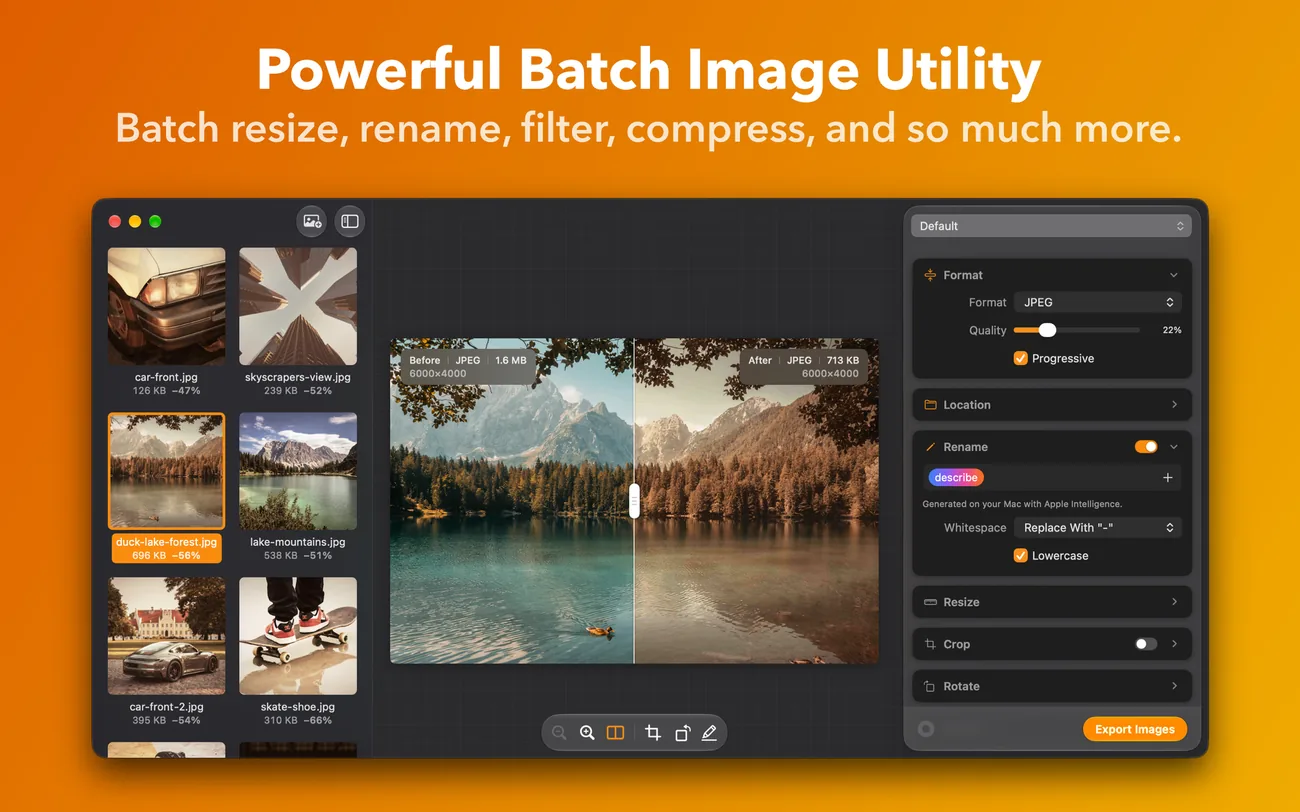
Squash 4 is the most Mac-like compression app on the Mac. It's 100% native, supports drag and drop and Apple Shortcuts, and is all wrapped up in a gloriously beautiful Liquid Glass interface. Drop in your images, pick your settings, check the results and export.
Squash is 40% off until the end of November in our Black Friday Birthday Sale.
The highlights
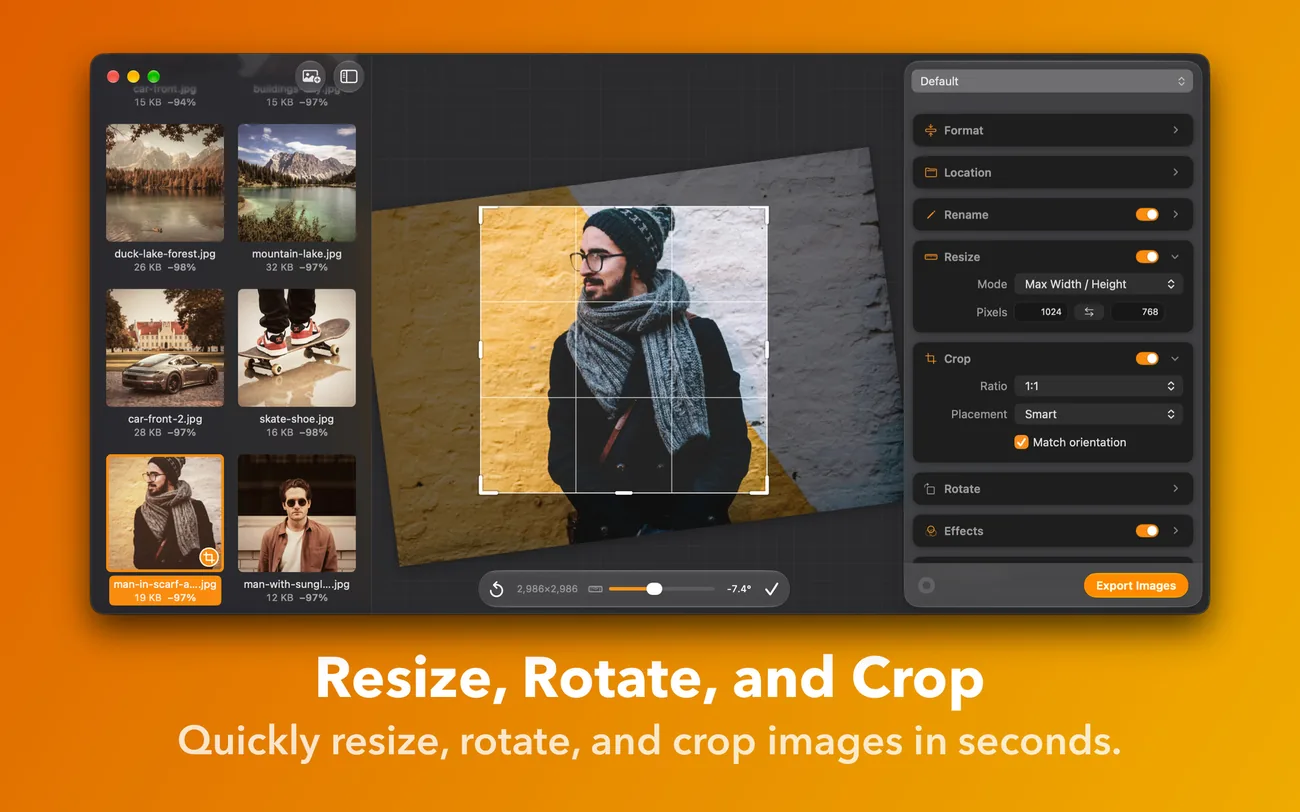
Crop, straighten and rotate
Smart Crop has social media presets, so Instagram portrait or Story is one menu away, and a new Free mode lets you draw each crop by hand. Drag outside the frame to straighten, like in Photos. Smart Rotate and Auto-straighten fix sideways photos and tilted horizons for you.
The Highlighter
Hide or highlight text, codes and other private details before you share a screenshot. Tell Squash what to look for and it marks them in every image, on your Mac. You can draw your own marks too.
Rebuilt watermarking
Add up to five watermarks to each image, mixing images and text, so your logo can sit in one corner and a copyright line in another. Text watermarks can include the date and your own custom tokens.
AI filenames, on your Mac
Apple Intelligence names your files by what's in them, so IMG_4821.jpg becomes something you'll recognise.
Watched Folders
Point Squash at a folder, such as your screenshots folder, and pick a preset. Any new image that lands there is squashed automatically, without opening the main window.
Photos from Unsplash
Search Unsplash from inside Squash and drag free photos straight into your batch.
Also new
- JPEG XL and HEIC export.
- Smaller files: Oxipng is now the default for PNGs, pngquant makes lossy 256-colour PNGs, and JPEG encoding is better.
- A new Metadata card to remove, keep or replace metadata, or set the creator, copyright, keywords, title and description. You can shift capture dates and set locations across a whole batch.
- Save in place, including nested subfolders, or to a custom subfolder.
- Drag images to the Finder, one at a time or in groups.
- Favourite filters, with list and thumbnail views.
- Better Apple Shortcuts support, a faster launch, and images that appear as they import.
- Localised in German, French, Italian, Spanish, Japanese and Simplified Chinese.
Every change is listed in the Squash 4 announcement on our forum. Squash 4 also has two new filter packs.
Price and upgrades
Squash 4 is free to download, with every feature included and no watermark on your images. The free version gives you 25 exports on your first day, then 5 a day, plus 5 Unsplash searches a day.
A Squash licence is $49, and it's 40% off until the end of November. It removes the daily limit, adds Watched Folders and comes with a year of updates. It renews each year, and if you cancel you keep the version you have. Every purchase from our website comes with a 30-day money-back guarantee.
On Squash 3 or earlier? Upgrade to Squash 4 and your first year is 40% off.
Squash needs macOS Sonoma 14.6 or later, on an Intel or Apple silicon Mac. AI filenames need macOS 27 or later, on an Apple silicon Mac that supports Apple Intelligence.
Download Squash 4. The Squash manual has been completely updated, and Licensing & Billing answers questions about buying and licences. If you get stuck, email support@realmacsoftware.com or ask on the forum.