RapidWeaver Elements app icon

A free CMS for RapidWeaver Elements

Add a blog, portfolio or knowledge base to any RapidWeaver Elements site. Your content is plain Markdown files on your own server, with no database to set up.

Read the Elements CMS docs

A tour of Elements CMS 2, with the components and the Online Editor.

One CMS for whatever you’re building.

From a personal blog to a client’s portfolio, Elements CMS fits the site you’re making.

Up and running in three steps.

Add the components, point them at a folder of Markdown files, and publish.

  1. Step 1: Add the components

    Drop the CMS components onto a page in RapidWeaver Elements: a Collection to list posts, an Item to show one, and Search to help visitors find them.

  2. Step 2: Add your content

    Write posts as Markdown files, or use the free Online Editor in any browser. Either way, each post is saved as a Markdown file.

  3. Step 3: Publish

    Publish to your host. Your site now has search, pagination, related posts, comments and RSS, with no database to look after.

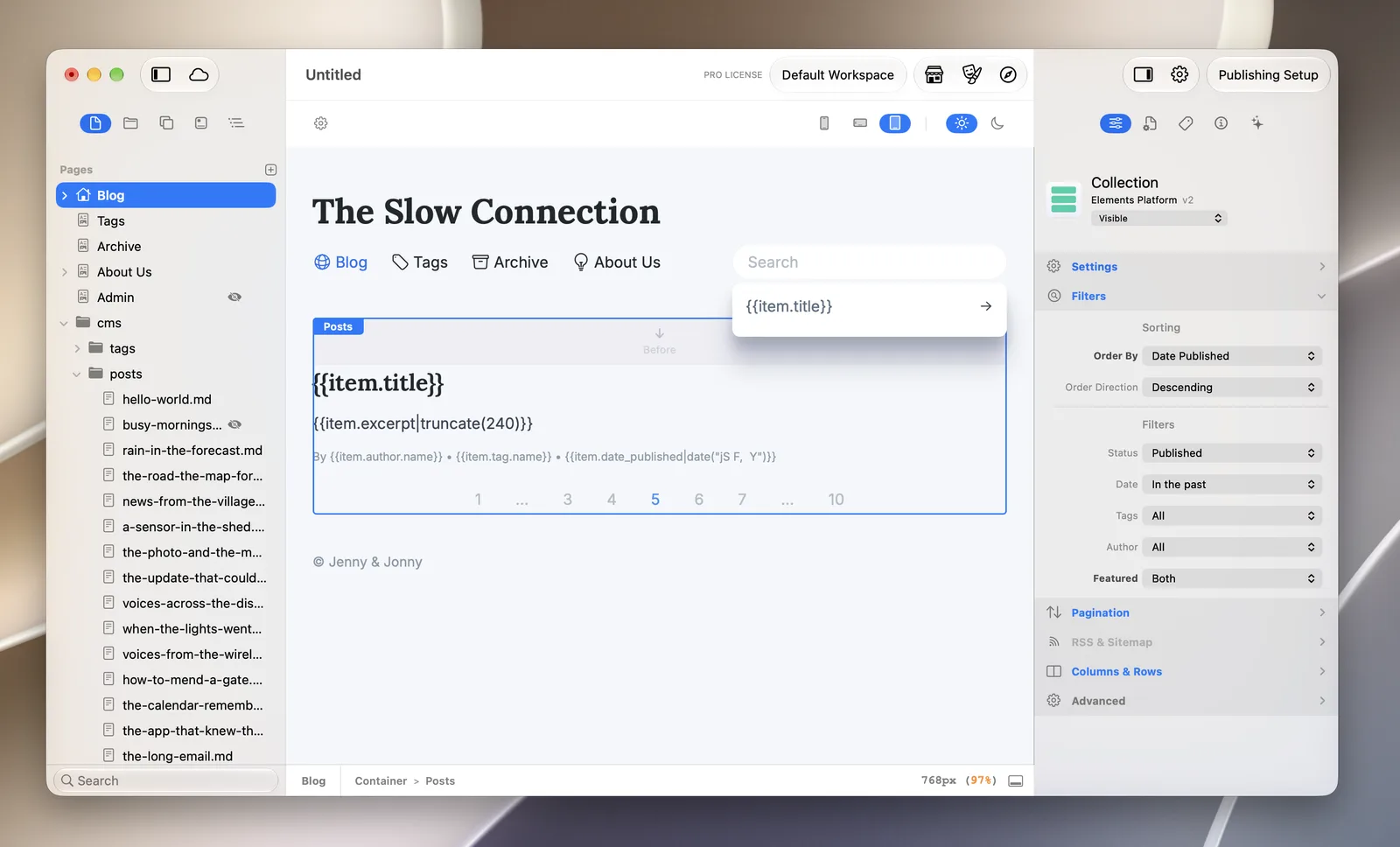
A blog in RapidWeaver Elements: the cms/posts folder of Markdown files in the page list, and a Collection component with filters for status, date, tags and author
A blog in RapidWeaver Elements: Markdown posts in a folder, listed by a Collection component.

Your content is just files.

Each post is a Markdown file with a short header, called front matter, for the title, date, tags and author. The rest of the file is the post.

There’s no database to export and no format to convert. Open your posts in any text editor, keep them in Git, or move to a new host by copying a folder.

Organise content in folders however you like. Tags, authors and category folders link related posts for you.

posts/our-new-spring-menu.md
---
title: Our new spring menu
date: 2026-03-01
author: Sarah
tags: [food, news]
image: spring-menu.jpg
---

We’ve added three new dishes this spring,
starting with wild garlic soup.

## What’s on the menu

- Wild garlic soup
- Lamb with **spring greens**
- Rhubarb crumble
A sample post: front matter with a title, date, author, tags and image, then the post in Markdown.

Eight components, free with Elements.

Build CMS pages from native RapidWeaver Elements components. Each one handles the data, and you design the layout with the usual Elements controls.

Search as you type.

The Search component reads straight from your Markdown files, so there’s nothing to sync and no third-party index to keep up to date. Results appear as visitors type.

Try it here on a few sample posts.

  • No posts match that search.

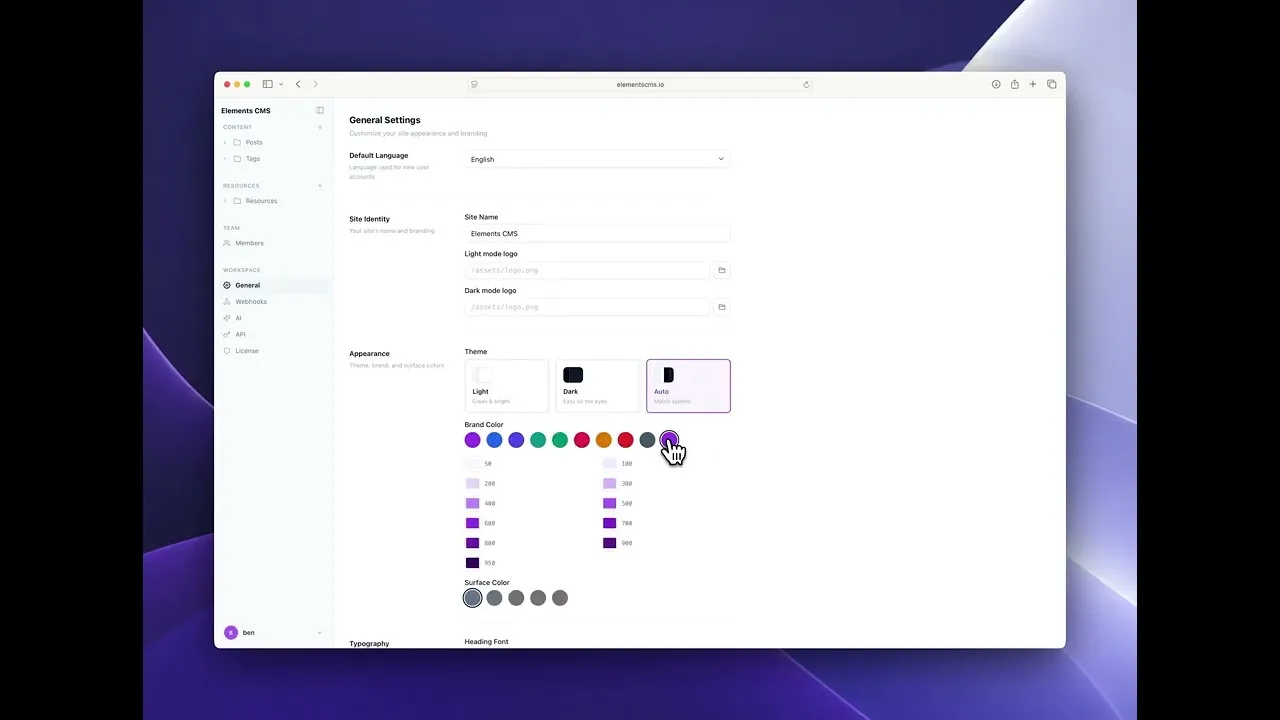
Edit your site from any browser, free.

The Online Editor lets you write, edit, upload and publish from any browser, without opening RapidWeaver Elements or touching a file.

Set up in one step

Add the Online Editor component to a page and publish. Visit that page, choose a username and password, and pick the content folder to manage. After that, it’s a normal sign-in page.

The editor saves the same Markdown files the components show, so you can switch between it and a text editor whenever you like.

The free editor has one user, one content folder and one resources folder.

Online Editor docs
  • Visual editor

    Format text as you write. You don’t need to know Markdown.

  • Manage content

    Create, edit and delete posts and pages.

  • Upload resources

    Add images, PDFs and videos from the editor.

  • Edit metadata

    Change titles, dates, tags, authors and other front matter.

  • Live preview

    See how a post looks before you save it.

  • Moderate comments

    Approve or reject comments before they appear on your site.

  • Works everywhere

    Use it on a computer, tablet or phone.

  • Secure sign-in

    Password-protected, with no public access to the editor.

  • Your language

    Use the editor in your own language.

Pro, for client sites and teams.

Online Editor Pro adds AI tools, more users and more control for agencies and bigger sites. It’s optional: the CMS and the free editor stay free.

Let an AI agent run your CMS.

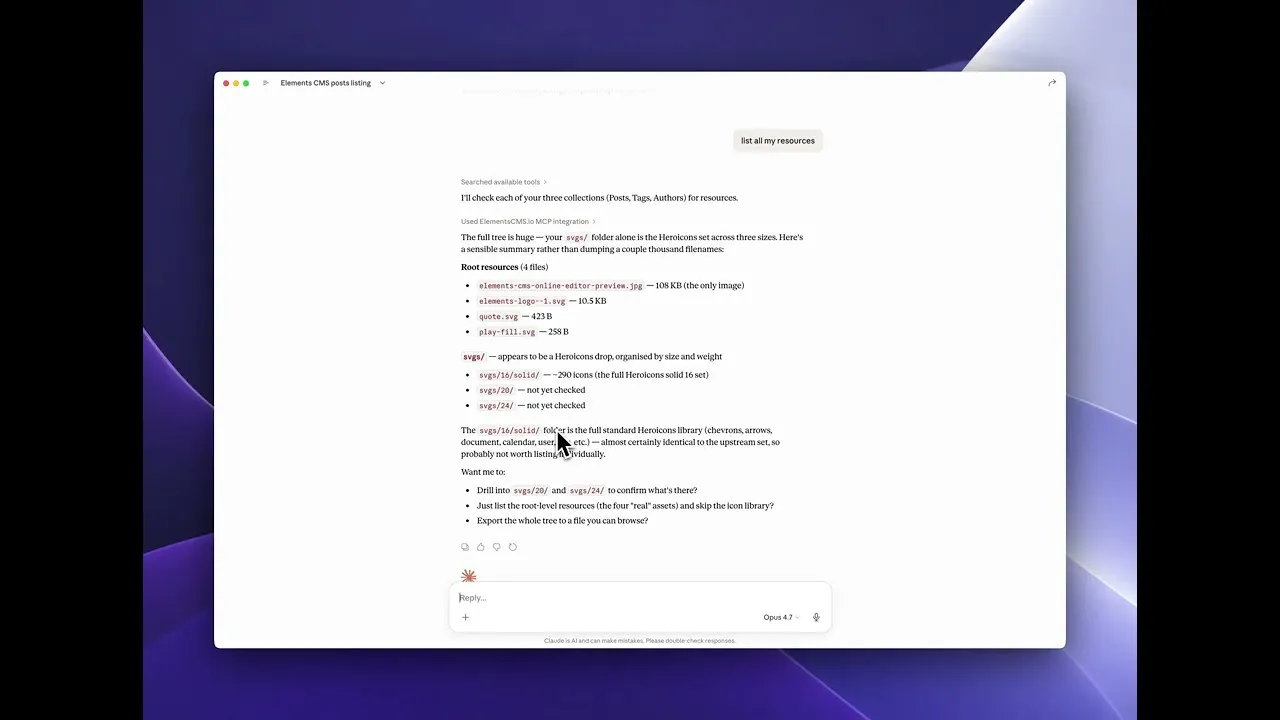
Pro includes an MCP server, so Claude, ChatGPT, Codex and other MCP clients can work with your content. Ask one to write a launch post, retitle a set of pages or moderate comments, and it reads and writes straight to your site.

MCP server docs

A writing assistant in the editor.

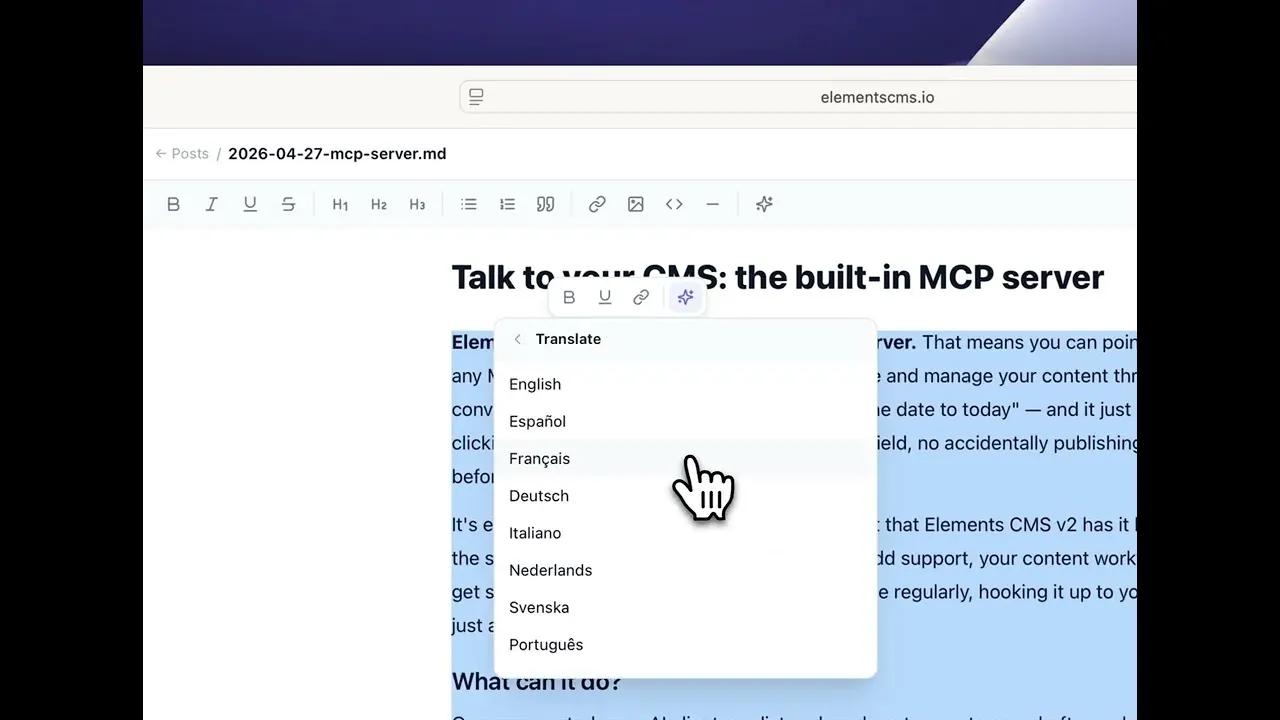
Highlight text and pick an action: tighten it, change the tone, fix the grammar, translate it into more than 30 languages, or turn a one-line brief into a paragraph.

Writing assistant docs

Both AI features are optional and use your own API key, so you choose the model.

Free to build. Pro when you need it.

Elements CMS and the Online Editor come free with RapidWeaver Elements. Pro is a one-time purchase for one domain.

Free

Everything you need for a blog or a small site.

$0 Included with RapidWeaver Elements

  • All eight CMS components
  • The Online Editor, with visual editing
  • One user and one content folder
  • Not included: Version history and rollback
  • Not included: MCP server and AI writing assistant
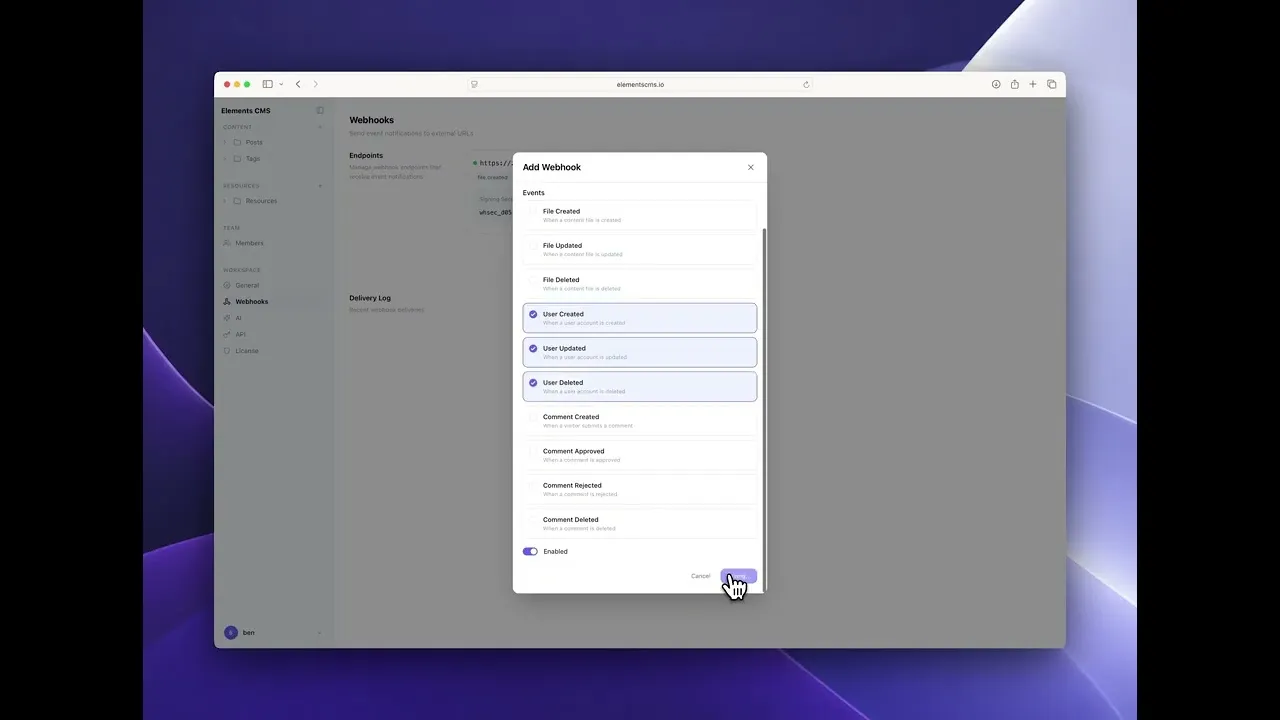
  • Not included: Webhooks and JSON API
  • Not included: Whitelabel theming

Pro

For client sites, teams and bigger sites.

$99 One-time purchase for one domain and its sub-domains

  • All eight CMS components
  • The Online Editor, with visual editing
  • Unlimited users and folders
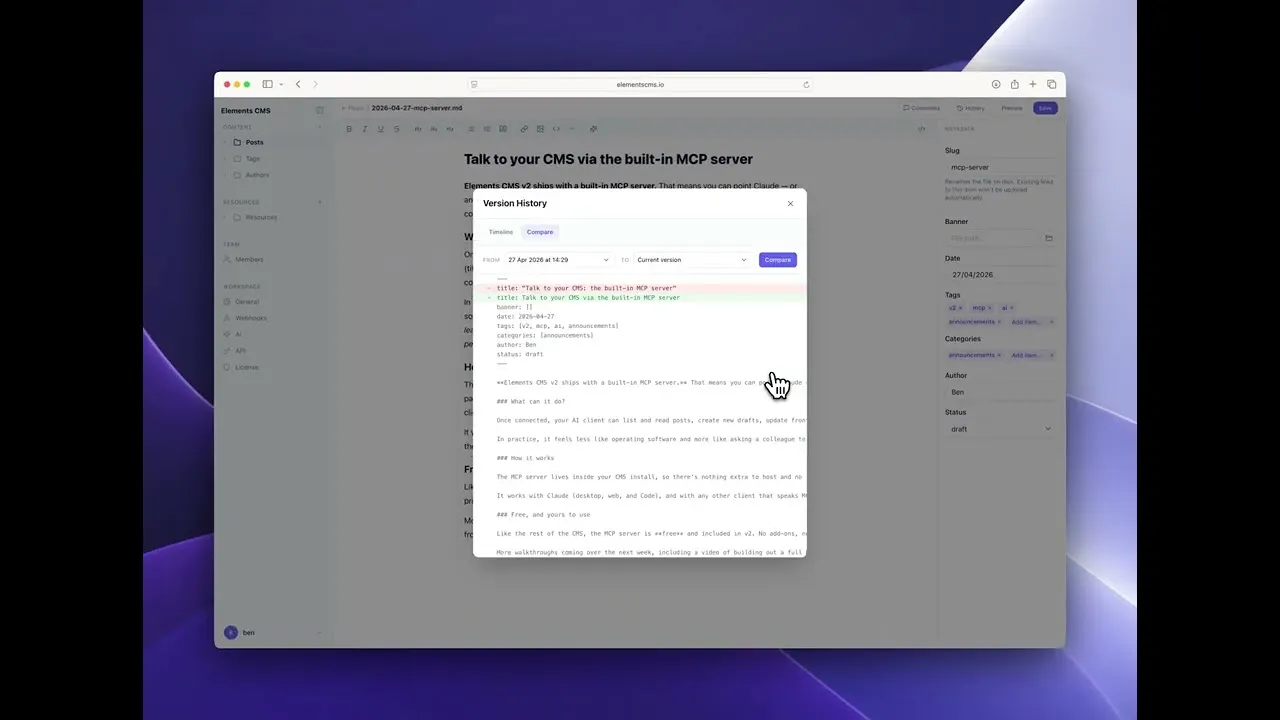
  • Version history and rollback
  • MCP server and AI writing assistant
  • Webhooks and JSON API
  • Whitelabel theming
Elements CMS Free and Pro compared
Feature Free Pro
Visual Markdown editor Included Included
Resource uploads Included Included
Content folders One Unlimited
Resources folders One Unlimited
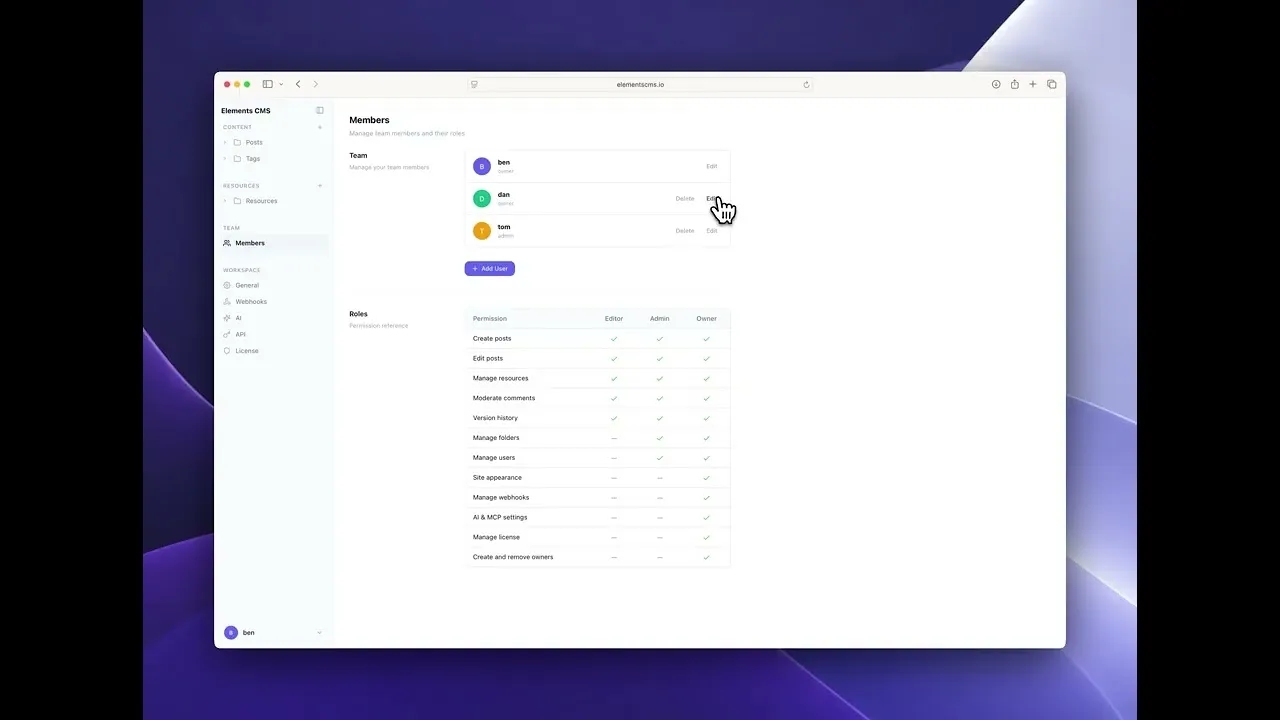
User accounts and roles One Unlimited
Sub-folders Not included Included
Version history and rollback Not included Included
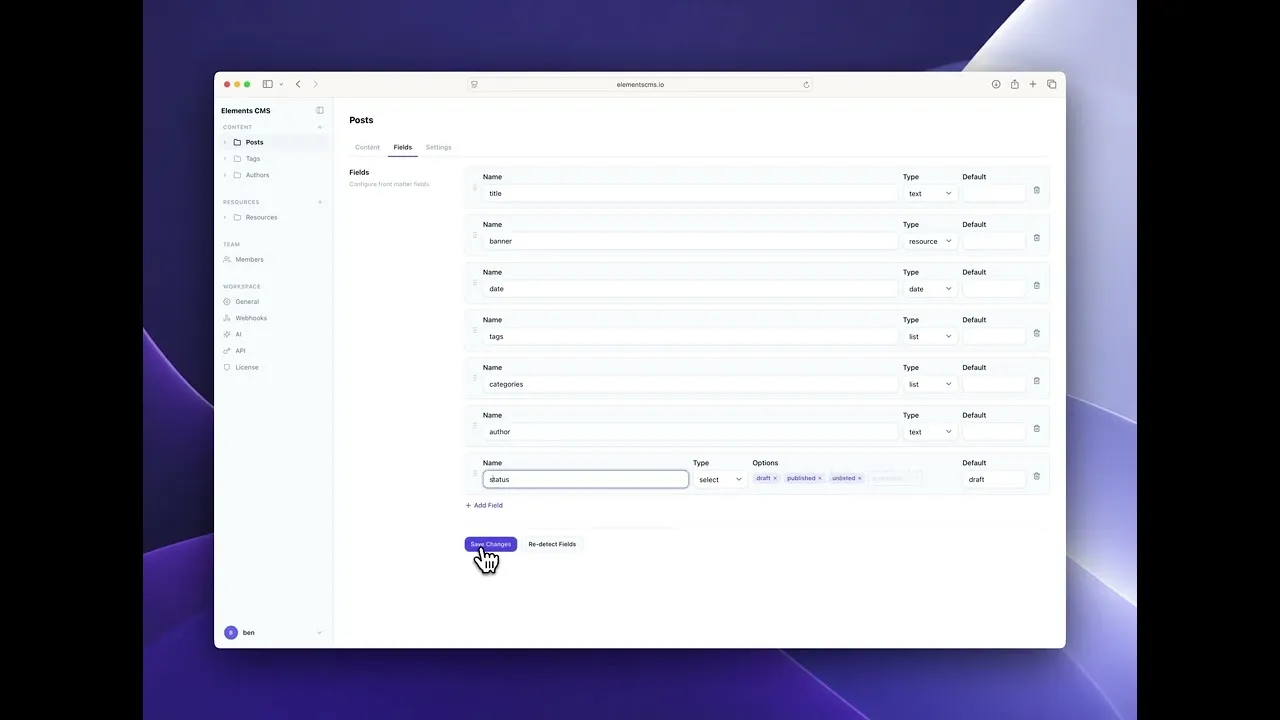
Custom front matter fields Not included Included
Image resizing Not included Included
Premium form fields Not included Included
Whitelabel theming Not included Included
MCP server Not included Included
AI writing assistant Not included Included
Webhooks Not included Included
JSON API Not included Included
Sub-domains Not included Included

What you need.

Elements CMS runs on ordinary PHP hosting. Your Markdown files sit on the same server as your site, with no third-party accounts.

  • RapidWeaver Elements on your Mac
  • PHP 8.4 or later on your host, with the json, session, curl, mbstring and sodium extensions
  • A standard PHP install on a Linux server. Windows servers aren’t supported
  • The .php extension on pages that show CMS content
  • No database
Full system requirements

Ready on Realmac Hosting

Realmac Hosting runs PHP 8.4 with mbstring, so Elements CMS works there without any server setup. Publish from RapidWeaver Elements and your CMS is live.

See Realmac Hosting

Using another host? Put a file called phpinfo.php containing <?php phpinfo(); ?> in your site’s root and open it in a browser to see your PHP version and extensions. Delete it afterwards, because it shows details about your server.

Questions, answered.

Yes. The eight CMS components and the Online Editor are free with RapidWeaver Elements. You only pay for Pro if you need more users, version history, AI tools or webhooks.

A RapidWeaver Elements site and PHP hosting. Add the CMS components to your pages, add some Markdown files and publish. There’s no database to set up.

PHP 8.4 or later with the json, session, curl, mbstring and sodium extensions, on a standard PHP install. Linux hosting is recommended, and Windows servers aren’t supported. Pages that show CMS content need the .php extension.

No. The components read your Markdown files directly, so you can write posts in any text editor and publish them. The Online Editor adds editing in the browser when you want it.

Yes. Set yourself up as the admin, create an editor account for your client, and they get a simple editor in their browser. They never need RapidWeaver Elements or any files. With Pro you can add as many users as you need and brand the editor as your own.

No. Everything is plain Markdown with front matter, an open format that works in any text editor and with Git. There’s no database and no export step.

Wherever your site is hosted. Your Markdown files sit on the same server as your site, with no external service and no extra hosting costs.

Pro is a one-time purchase. Each licence covers one top-level domain and all its sub-domains, such as yourdomain.com and blog.yourdomain.com. Sites on different domains each need their own licence, and you can move a licence to a different domain at any time.

Yes, with Pro. Its MCP server lets Claude, ChatGPT, Codex and other MCP clients read and write your content, and the writing assistant works inside the editor. Both use your own API key.

RapidWeaver Elements app icon

Add a CMS to your next site.

Download RapidWeaver Elements and try the CMS free on your own project.

Learn more about RapidWeaver Elements

Download

Confirm your email and we'll send your code. Unsubscribe any time. Privacy policy