How to convert WebP to JPG on a Mac

Dan Counsell · Founder of Realmac SoftwareUpdated
We’ve made Squash, an image compressor for Mac, since 2016, so we show the free way first.
Most websites now serve images as WebP, because the files are smaller than JPG. So when you save an image from Safari or Chrome, you often get a .webp file that some apps and upload forms won’t accept. Your Mac can turn it into a JPG or PNG in seconds.
Save WebP as JPG with Preview
Recent versions of macOS open WebP files in Preview.
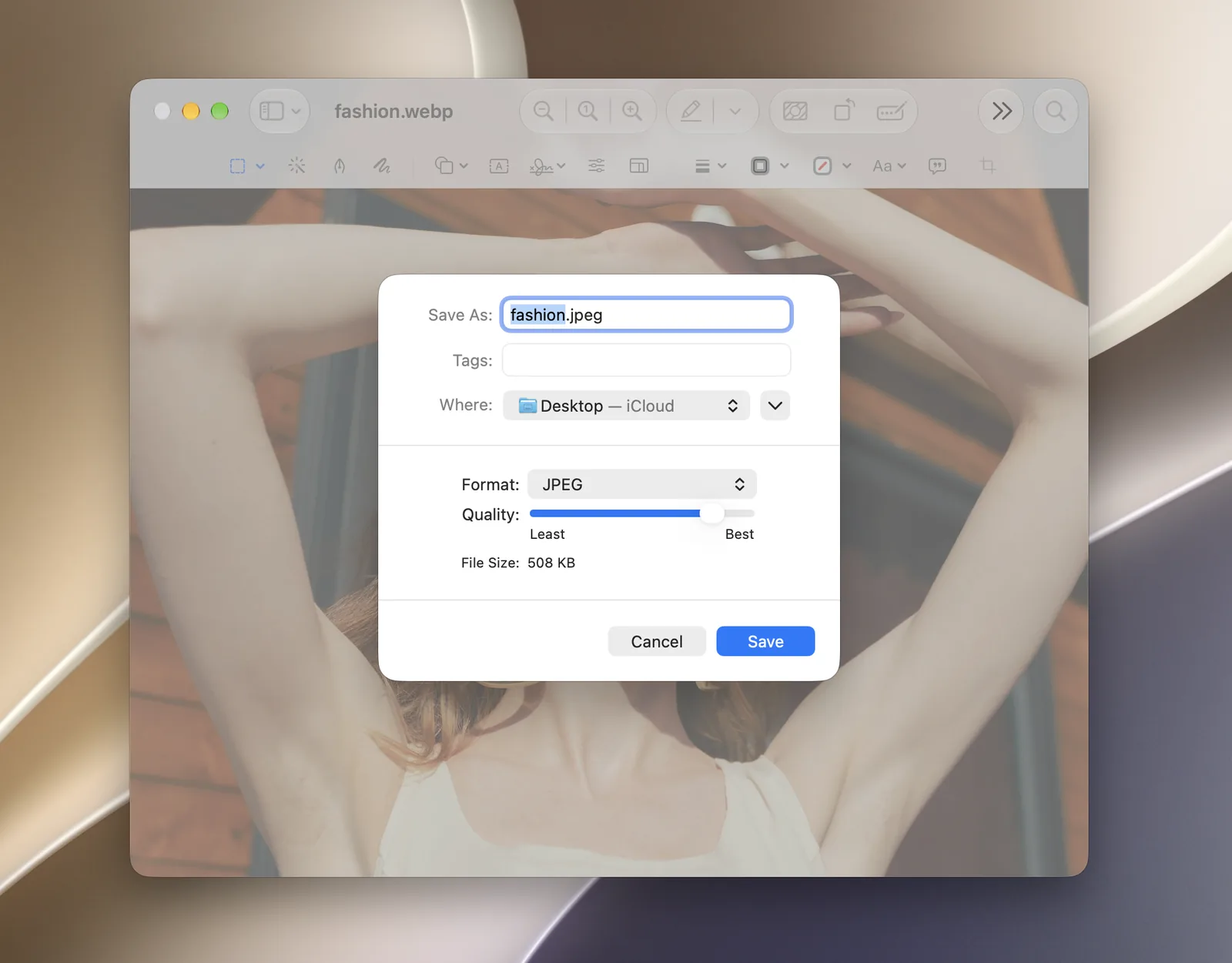
- Double-click the WebP file to open it in Preview.
- Choose File > Export.
- Set Format to JPEG, or PNG if the image has a transparent background.
- Click Save.
Convert several WebP files with a Finder Quick Action
- Select the WebP files in Finder.
- Control-click and choose Quick Actions > Convert Image.
- Choose JPEG or PNG and a size, then click Convert.
Batch convert WebP to JPG with Squash
Squash imports WebP and AVIF and exports JPEG, PNG, WebP, AVIF, HEIC, TIFF and JPEG XL, so it converts in any direction, a whole folder at a time.
- Drop in the WebP files.
- Choose JPEG or PNG and a quality.
- Click Export Images.
Going the other way: JPG to WebP
If you run a website, WebP is the format you want to end up with: it’s smaller than JPG, supports transparency and works in every current browser. Preview can’t save WebP, but Squash can. Drop in your JPGs, choose WebP, and click Export Images. AVIF is usually smaller still; read what an AVIF file is.
Questions about converting WebP
Why do images save as WebP on my Mac?
The website served them as WebP to make its pages load faster. Your browser saves the file in the format it received.
Can a Mac open WebP files?
Yes. Safari, Preview and Finder’s Quick Look open WebP on recent versions of macOS.
Is WebP better than JPG?
For websites, usually: WebP files are smaller at the same quality, and support transparency. For sending to people or printing, JPG works everywhere. See PNG vs JPG vs WebP.
How do I convert WebP to PNG on a Mac?
Follow the same steps and choose PNG instead of JPEG. PNG keeps transparency, but the file will be much larger.