FTP vs SFTP

Dan Counsell · Founder of Realmac SoftwareUpdated
We’ve made RapidWeaver, a website builder for Mac, since 2004. Each guide works with any tool, then shows how in RapidWeaver Elements.
When you publish a website from your own computer, the files have to get to your host somehow. Usually that’s FTP, SFTP or FTPS. They sound alike and do the same job, but they’re not equally safe.
What is FTP?
FTP, the File Transfer Protocol, is one of the oldest ways to move files across the internet. You connect to a server with a username and password, then upload and download files. It usually uses port 21.
The problem is that FTP doesn’t encrypt anything. Your password and files travel as plain text, so someone on the same network, such as public Wi-Fi, could read them.
What is SFTP?
SFTP, the SSH File Transfer Protocol, does the same job over SSH, an encrypted connection. Your password and files are scrambled on the way. It usually uses port 22.
Despite the name, SFTP isn’t FTP with security added. It’s a different protocol that happens to do the same thing.
What is FTPS?
FTPS is the original FTP with TLS encryption added, the same encryption that puts the padlock in your browser. It’s secure too. Some hosts offer FTPS instead of SFTP.
FTP vs SFTP vs FTPS
| FTP | SFTP | FTPS | |
|---|---|---|---|
| Encrypted | No | Yes | Yes |
| Usual port | 21 | 22 | 21 or 990 |
| Built on | FTP | SSH | FTP plus TLS |
| Use it when | Nothing else is offered | Your host offers it (most do) | Your host offers FTPS but not SFTP |
Which one should you use?
SFTP if your host offers it, FTPS if that’s what they have, and plain FTP only as a last resort. If you’re stuck with FTP, avoid publishing over public Wi-Fi and change your password now and then.
Your host’s help pages or control panel will list the server name, port, username and the folder your site goes in. Your SFTP login is sometimes different from the one you use for the control panel.
Publish over SFTP from RapidWeaver Elements
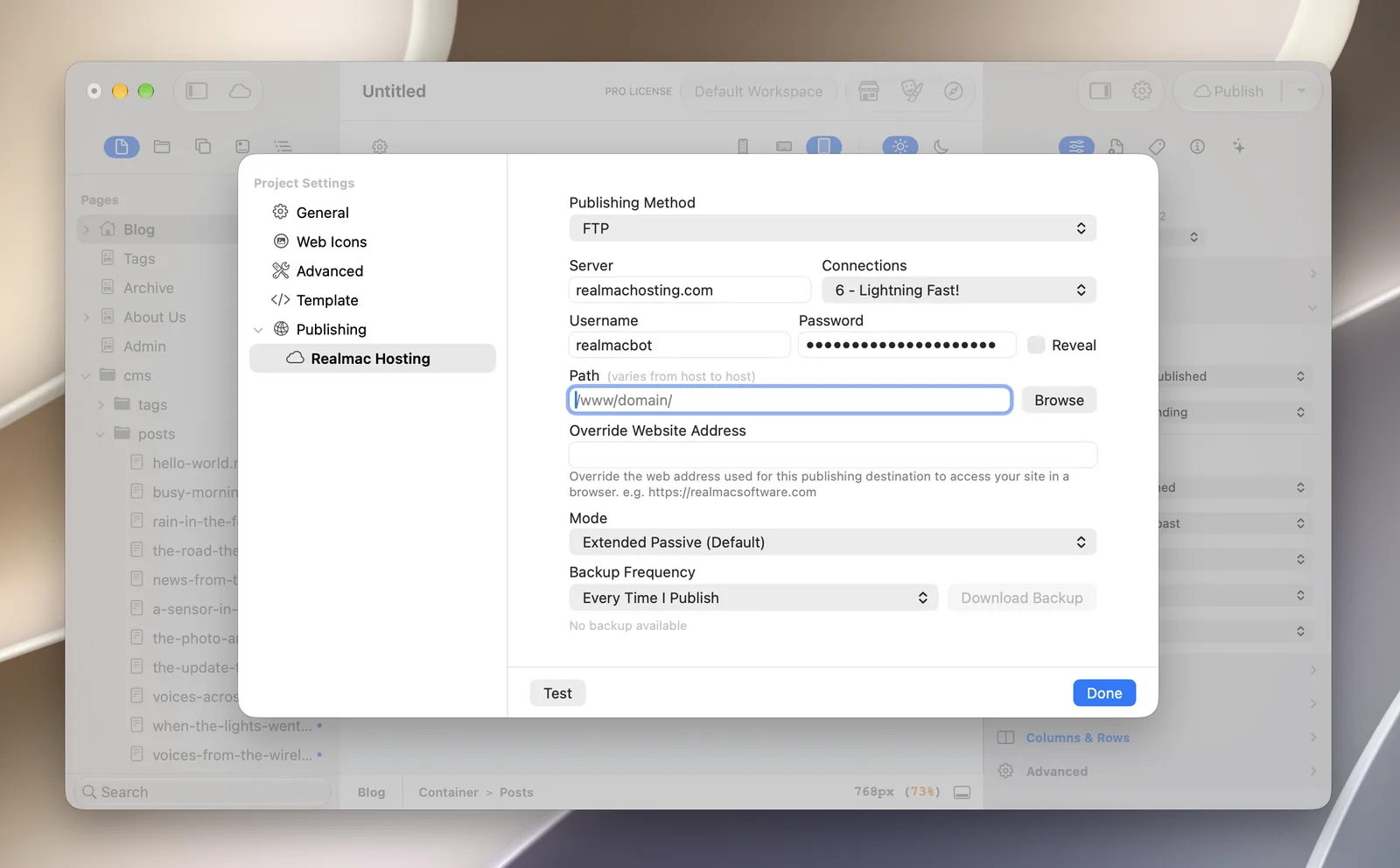
RapidWeaver Elements publishes over FTP, SFTP or FTPS, or to Amazon S3.
- Open Project Settings > Publishing and add a destination.
- Pick SFTP (or FTPS) from Publishing Method, then enter the server, username and password from your host.
- Set the Path to your site’s folder, click Test to check the connection, then click Done and publish.
Questions about FTP and SFTP
Is FTP still used?
Yes, a lot of hosts still offer it, and some only offer it. But most now offer SFTP or FTPS as well, and those are the better choice.
Is SFTP the same as SSH?
SFTP runs over SSH. If your host gives you SSH access, you can usually use the same login for SFTP.
Why won’t my SFTP connection work?
The usual causes are the wrong port (try 22), a username in the wrong format, or a host that needs SSH turned on in the control panel first. Your host’s support team can tell you the exact details.
What is the best FTP app for Mac?
Transmit, Cyberduck and ForkLift all handle FTP, SFTP and FTPS. If you build with a desktop website builder, you may not need one at all, because publishing is built in.
