How to host a website

Dan Counsell · Founder of Realmac SoftwareUpdated
We’ve made RapidWeaver, a website builder for Mac, since 2004. Each guide works with any tool, then shows how in RapidWeaver Elements.
Web hosting is a computer that’s always switched on and connected to the internet, which stores your site’s files and sends them to anyone who asks. You rent space on one from a hosting company.
What you need to host a website
- A domain name. The address people type, such as
yourname.com. You rent it from a registrar, usually for a year at a time. - Hosting. Space on a server for your files.
- Your website’s files. The HTML, CSS, images and so on that your website builder makes.
- A way to upload them. Usually FTP or SFTP, built in to most desktop website builders.
Many hosting companies sell domains too, which saves a step.
Types of web hosting
| Type | What it is | Good for |
|---|---|---|
| Shared hosting | Your site shares a server with many others | Most personal and small business sites |
| Static hosting | Serves plain files only, no PHP or databases | Sites made of HTML files, like most Elements sites |
| VPS | Your own slice of a server that you manage | Developers who need custom software |
| Builder hosting | The builder’s own servers, part of your plan | Wix, Squarespace and similar, where you can’t move the site |
If your site is made of plain HTML files, you don’t need anything fancy. Shared or static hosting is fast and cheap for that.
How much does it cost to host a website?
Shared hosting usually costs a few pounds or dollars a month, and a domain costs a little more each year. Prices rise when the first-year offer ends, so check the renewal price, not just the headline one. For the full picture, see how much a website costs.
How to host a website, step by step
- Choose a domain and check it’s free at a registrar.
- Choose a host. Check it offers SFTP, free HTTPS certificates and PHP if you’ll use a blog or forms.
- Point your domain at the host. If you bought both in one place, this is done for you. If not, change the domain’s name servers to the ones your host gives you.
- Turn on HTTPS in the host’s control panel. Most hosts do this for free with Let’s Encrypt.
- Get your upload details: server address, username, password and the folder your site lives in (often
public_html). - Upload your site from your website builder or an FTP app.
- Visit your domain and check every page.
Host a website built in RapidWeaver Elements
RapidWeaver Elements builds your site on your Mac and publishes it to any host you choose. You’re never tied to one company.
- Open Project Settings > Publishing and add a destination.
- Choose SFTP / FTPS, FTP or Amazon S3, and enter the details from your host.
- Click Publish. Elements uploads your files, and after that only the files you’ve changed.
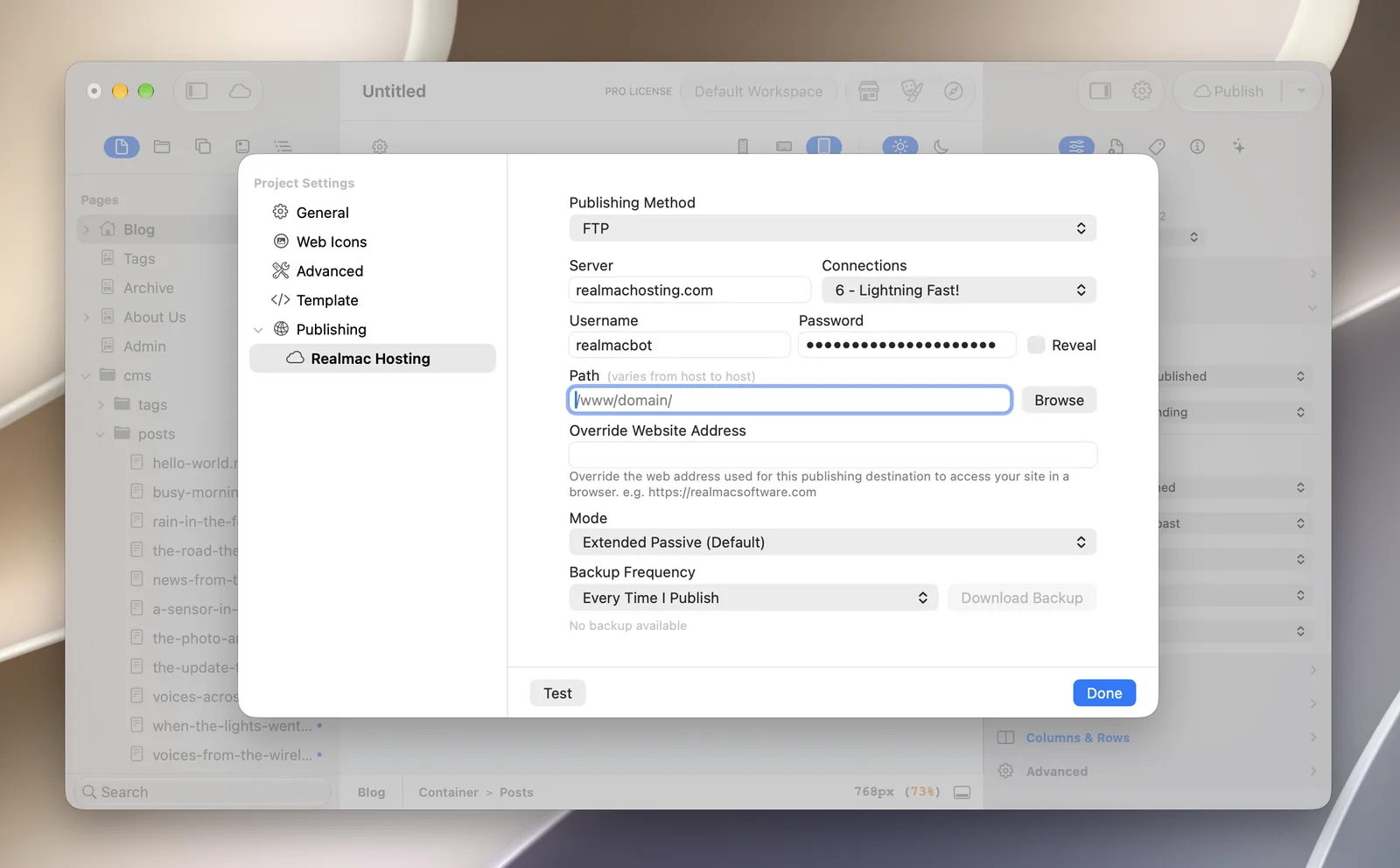
Most of an Elements site is plain HTML, so it runs on almost any host. Only the CMS components, forms and the Password Protect add-on need PHP. If you’d like hosting set up for you, we run Realmac Hosting, but any good host works.
Questions about hosting a website
Can I host a website for free?
Yes, there are free hosts for static sites, and builder platforms have free plans. Free plans often add ads, use their own address instead of yours, or limit how much traffic you can have. For a site you care about, paid hosting is cheap and worth it.
Can I host a website on my own Mac?
You can, but you shouldn’t for a public site. Your Mac would have to stay on all the time, and home internet isn’t built for it. Use your Mac to build and preview, and a host to serve the site.
Do I need a different host for my email?
Not always. Many hosts include email with your domain. Some people keep email with a separate provider so a change of host doesn’t touch their inbox.
How do I move my website to a new host?
Sign up with the new host, upload your site there, then point your domain at the new host. Keep the old account open for a few days while the change spreads.
