How to create a sitemap

Dan Counsell · Founder of Realmac SoftwareUpdated
We’ve made RapidWeaver, a website builder for Mac, since 2004. Each guide works with any tool, then shows how in RapidWeaver Elements.
Search engines find pages by following links. A sitemap gives them a list as well, so they don’t miss pages that few other pages link to.
What is a sitemap?
An XML sitemap is a plain text file that lists your page addresses, often with the date each one last changed. It lives at the root of your site, such as https://example.com/sitemap.xml.
A small one looks like this:
<?xml version="1.0" encoding="UTF-8"?>
<urlset xmlns="http://www.sitemaps.org/schemas/sitemap/0.9">
  <url>
    <loc>https://example.com/</loc>
    <lastmod>2026-11-12</lastmod>
  </url>
  <url>
    <loc>https://example.com/about/</loc>
  </url>
</urlset>
There’s also the HTML sitemap, a normal page listing your pages for visitors. It’s optional. The XML one is the one search engines want.
Do you need a sitemap?
Google says small, well-linked sites can do without one. But a sitemap costs nothing and helps a new site get found faster, so it’s worth having.
What to put in a sitemap
- Every page you want in search results.
- Only the final address of each page, not old addresses that redirect.
- Not thank-you pages, test pages or private pages.
How to create a sitemap
- Check whether you already have one. Visit
yoursite.com/sitemap.xml. Most builders, Elements included, make one automatically. - If not, use a generator. Free online sitemap generators crawl your site and give you the file to download.
- Upload it to the root folder of your site.
- Add it to robots.txt with a line like
Sitemap: https://example.com/sitemap.xml. - Submit it to Google. In Google Search Console, open Sitemaps, enter the address and click Submit. Bing Webmaster Tools has the same option.
Sitemaps in RapidWeaver Elements
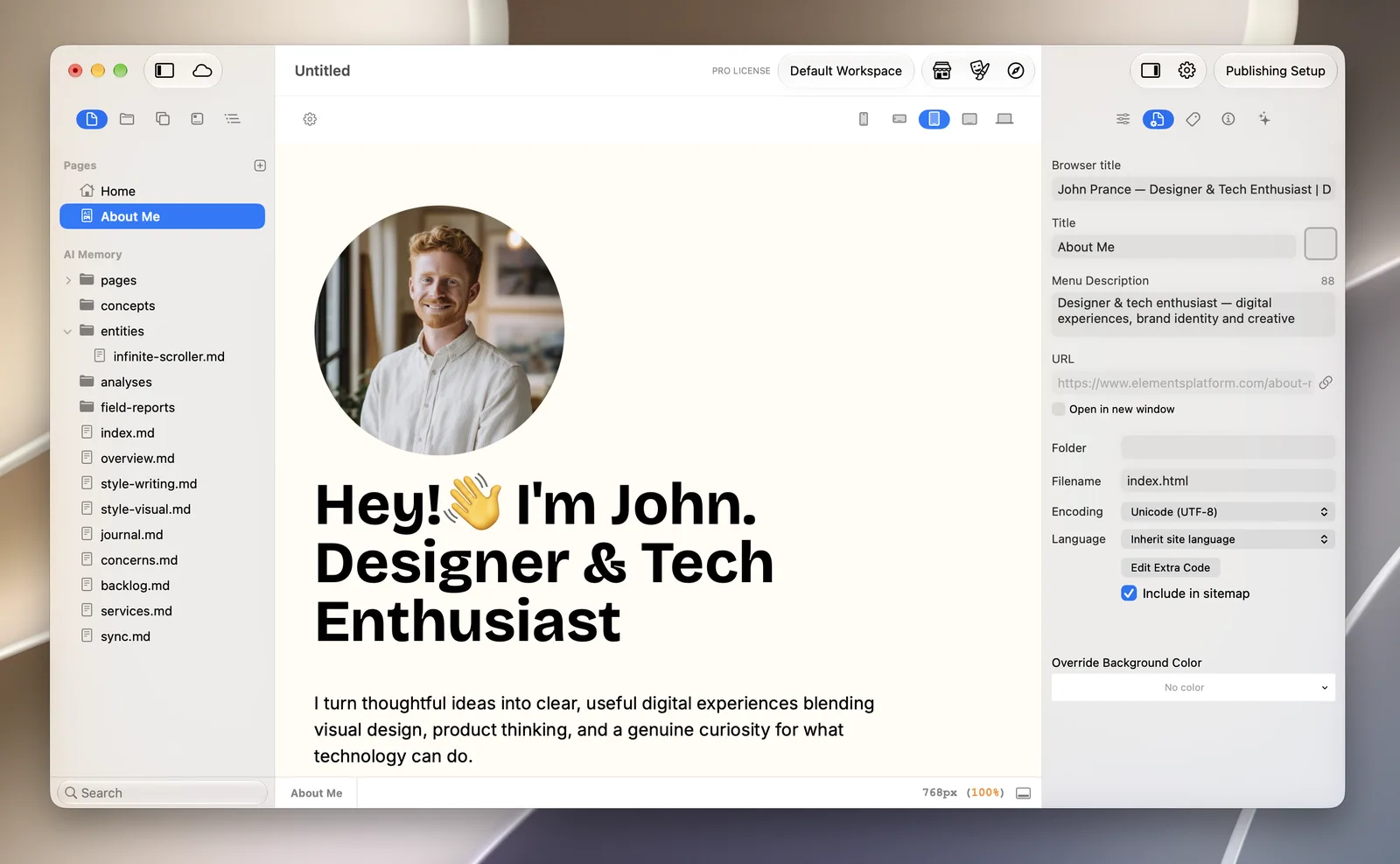
RapidWeaver Elements writes sitemap.xml for you each time you publish, in the root of your site. New pages are included automatically.
To leave a page out, select it and untick Include in sitemap in the Page Inspector. Elements leaves out folders and files that aren’t pages, such as images, CSS and PDFs.
Questions about sitemaps
How often should I update my sitemap?
Whenever you add or remove pages. If your builder makes it, that happens on every publish.
Why does Search Console say “couldn’t fetch” my sitemap?
Check the address opens in your browser, that it starts with the same https:// and www choice as your site, and that robots.txt doesn’t block it. New sitemaps can also show this for a day before Google reads them.
Does a sitemap help my ranking?
Not directly. It helps Google find and recrawl your pages. Ranking comes from what’s on them. See how to get your website on Google.
