How to make a landing page

Dan Counsell · Founder of Realmac SoftwareUpdated
We’ve made RapidWeaver, a website builder for Mac, since 2004. Each guide works with any tool, then shows how in RapidWeaver Elements.
A landing page is a single page built for one action: join a waitlist, book a call, buy a product, download an app. It’s where an advert, an email or a social post sends people. Because it has only one job, it’s also the easiest kind of website to make well.
The sections a landing page needs
In this order, from the top:
- Headline. What the visitor gets, in their words. “Book a dog walker in Brighton in two minutes” beats “Welcome to WalkPal”.
- One line under it. Who it’s for, or how it works.
- Call to action. One button, with a verb: “Join the waitlist”, “Book a call”.
- Proof. A quote from a customer, a number, or logos of people who use it.
- Three benefits. Each one a short heading and a sentence.
- How it works. Two to four steps.
- Questions. The three things people ask before they say yes.
- The same call to action again. Same words, same button.
Leave out the menu, or keep it to one or two links. Every extra link is a way to leave without doing the one thing.
Write the headline first
Most visitors read the headline, glance at the button and decide. Write ten headlines, then pick the one a stranger would understand in five seconds. Keep it to a promise you can keep. Our guide to website copywriting has more on this.
One page or a full site?
| Choose a landing page when | Choose a full site when |
|---|---|
| You’re launching one thing | You offer several services or products |
| Traffic comes from ads, email or social | People will find you through search |
| You want to test an idea quickly | You need a blog, shop or several audiences |
You can start with a landing page and grow it into a site later. In Elements that’s just adding pages to the same project.
Build a landing page in RapidWeaver Elements
- Open RapidWeaver Elements and choose New Project.
- Pick Asterra, a landing page with pricing, a feature grid and a waitlist, or Waitlist, a launch page with an email signup.
- Replace the headline, the text and the images with your own.
- Point the button at your form, checkout or booking link.
- Turn off the pages you don’t need, so the site is just the one page.
- Publish from Project Settings > Publishing.
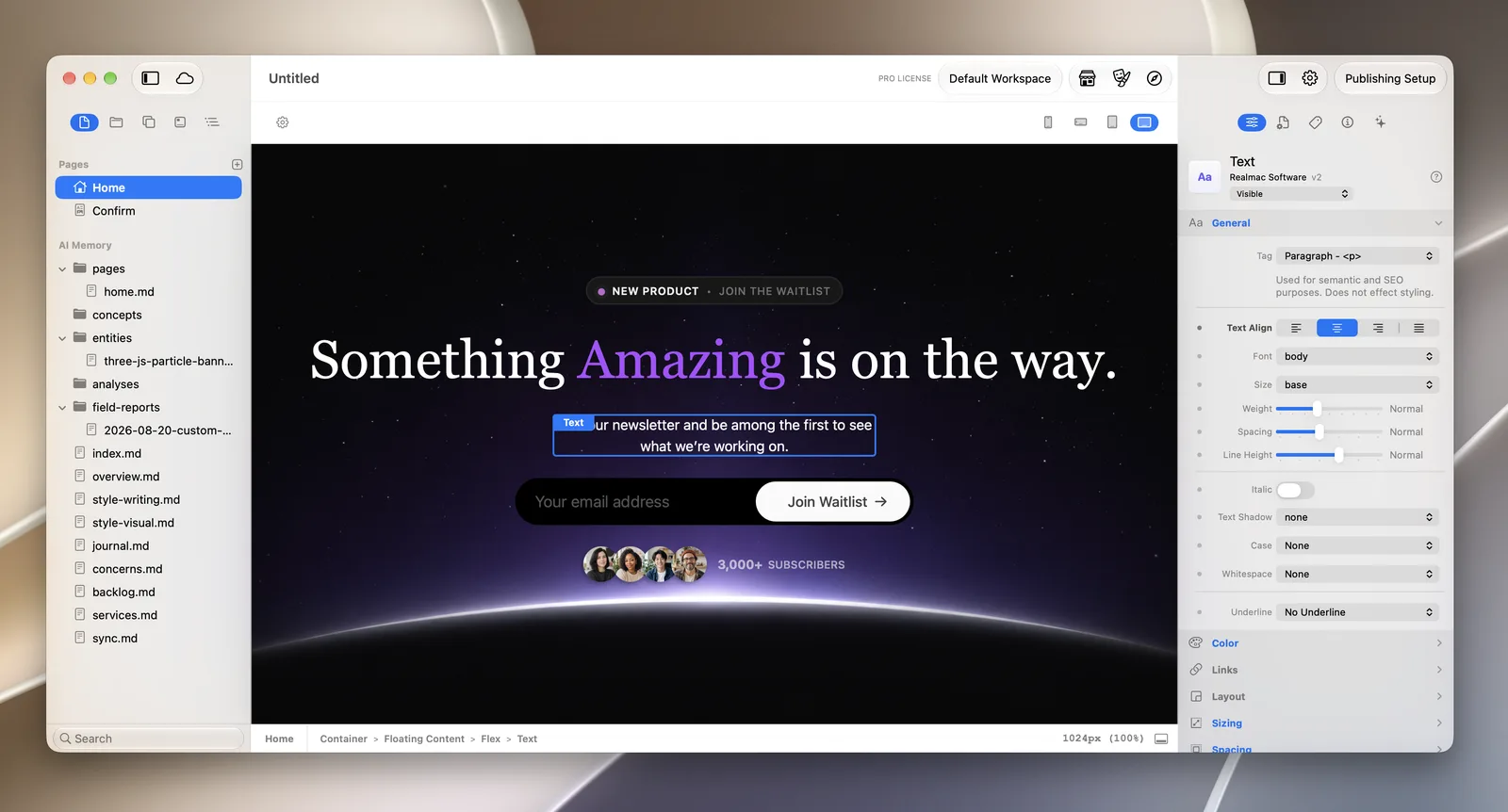
Elements forms send each sign-up to your email or a webhook. They need PHP on your host, which most hosts have.
Questions about landing pages
What’s the difference between a landing page and a home page?
A home page sends people all over your site. A landing page asks them to do one thing and removes everything else.
How long should a landing page be?
As long as it takes to answer the visitor’s questions. A free sign-up can be short. Something that costs money needs more proof and more answers.
Do I need a separate domain for a landing page?
No. Put it at a short address on your main site, such as yourname.com/launch, so it builds up your main domain.
