How to make a restaurant website

Dan Counsell · Founder of Realmac SoftwareUpdated
We’ve made RapidWeaver, a website builder for Mac, since 2004. Each guide works with any tool, then shows how in RapidWeaver Elements.
Most people look at a restaurant’s website on a phone, standing in the street or deciding where to eat tonight. They want four things: Are you open? Where are you? What’s on the menu? Can I book? Answer those in the first screen and you’ve done most of the job.
What a restaurant website needs
| Section | What goes in it |
|---|---|
| Hours and address | At the top of the home page and in the footer of every page |
| Menu | Written as text, with prices, grouped by course |
| Bookings | A button to your booking system, or a phone number that dials when tapped |
| Photos | The food, the room and the people, taken in good light |
| Map | So people can find the door |
| About | Who cooks, where the food comes from, what makes you different |
Write the menu as text, not a PDF
PDF menus are hard to read on a phone, slow to load and invisible to search engines. Write the menu on a page instead. It takes longer the first time, but changing a price is then a two-second job, and people searching for “vegan brunch near me” can find you.
Keep your hours the same everywhere
Search engines and map apps check your website against your business listings. Use exactly the same hours, address and phone number on your site and on your map listings, and update both on the same day.
Build it in RapidWeaver Elements
- Start a new project in RapidWeaver Elements with the Burger Co starter project, a site for restaurants and bars with a menu, bookings and opening hours.
- Replace the menu with your own dishes and prices. Keep it as text.
- Link the Book a table button to your booking system.
- Add a map with the free Map component from the Elements Store, which needs a Google Maps API key.
- Put your hours and address in a Global, so you change them once and every page updates.
- Check the site at phone size, then publish.
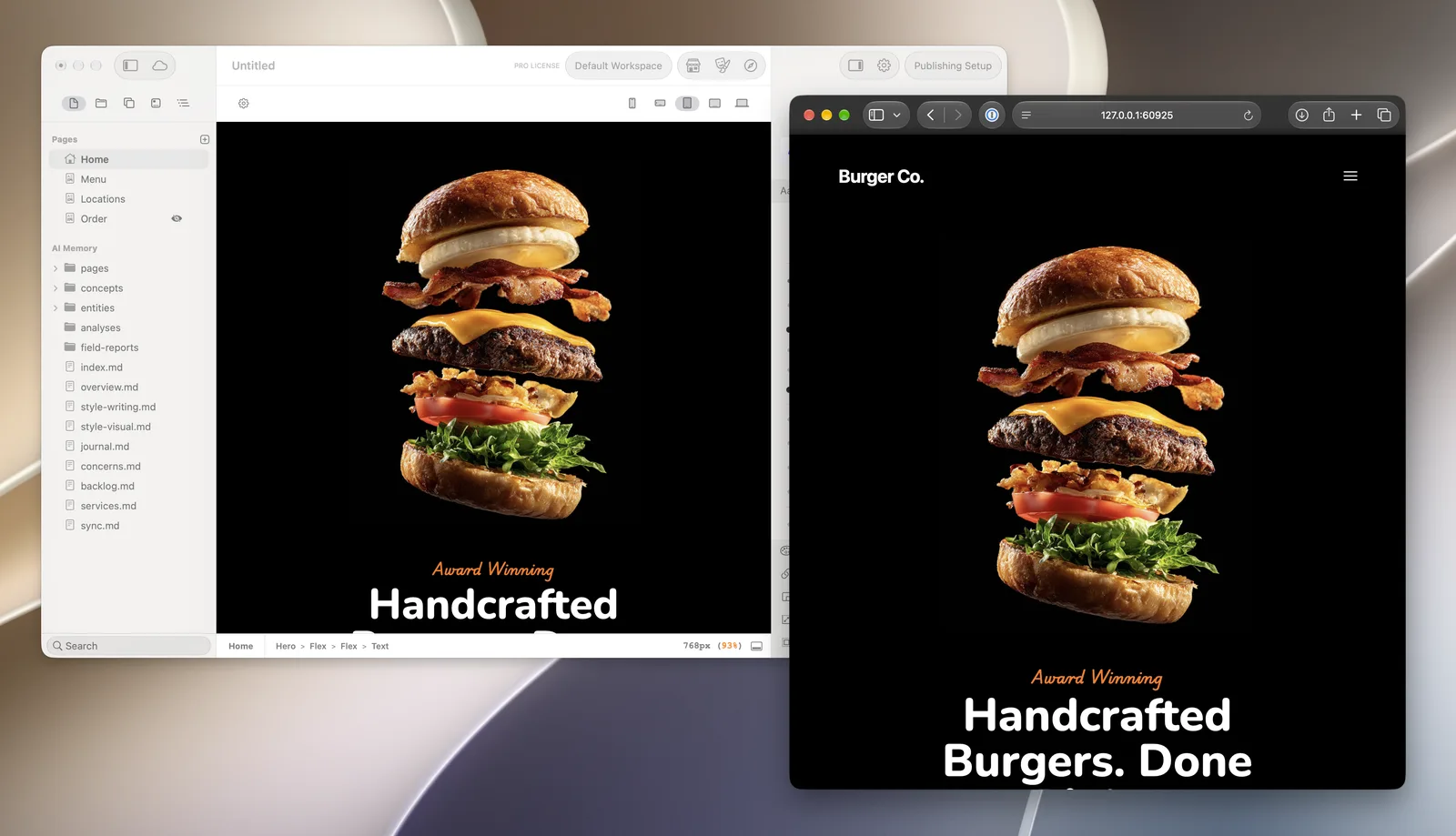
For takeaway orders or gift vouchers, Elements works with e-commerce add-ons such as PayPal and VibraCart buttons.
Questions about restaurant websites
Should my restaurant menu be a PDF?
No. A text menu loads faster, reads better on a phone and can be found by search engines. Offer a PDF as a download for people who want to print it, if you like.
Do I need online ordering on my restaurant website?
Only if you do takeaway or delivery yourself. Many restaurants link to the booking and delivery services they already use instead.
How do I get my restaurant to show up on Google Maps?
Create or claim your free business listing with Google, and make sure the name, address, hours and phone number match your website exactly.
