How to make a website on a Mac

Dan Counsell · Founder of Realmac SoftwareUpdated
We’ve made RapidWeaver, a website builder for Mac, since 2004. Each guide works with any tool, then shows how in RapidWeaver Elements.
This guide is for anyone building their first website on a Mac. You don’t need to know any code. By the end you’ll know the five things every website needs, and how to do each one.
| Step | What you do | Time |
|---|---|---|
| 1. Plan | Decide what the site is for and list its pages | An evening |
| 2. Get a domain and hosting | Buy your address and somewhere to keep the files | 20 minutes |
| 3. Build | Start from a template and make it yours | A weekend |
| 4. Check | Look at it on a phone, fix the small things | An hour |
| 5. Publish | Upload it and connect your domain | 20 minutes |
Plan the site before you open an app
Write down, in one sentence, what you want a visitor to do. Book a table, hire you, read your writing, buy your album. Every page should help with that.
Then list the pages. Most small sites need four or five: a home page, an about page, one page for what you offer, and a contact page. A blog can come later. Our website planning checklist goes through this in more detail.
Get a domain name and hosting
A domain name is your address, such as yourname.com. You rent it by the year from a registrar. A hosting account is a computer that’s always online and sends your pages to visitors. You need both, and they can come from the same company or from two.
Because RapidWeaver Elements builds plain website files on your Mac, you can use almost any web host. If you’d rather not shop around, Realmac Hosting is our own hosting and is set up for Elements sites. Read how to host a website for what to look for.
Build the site in RapidWeaver Elements
RapidWeaver Elements is a website builder for Mac. You design pages by dragging components onto them and see exactly how they’ll look, on your Mac, with or without an internet connection.
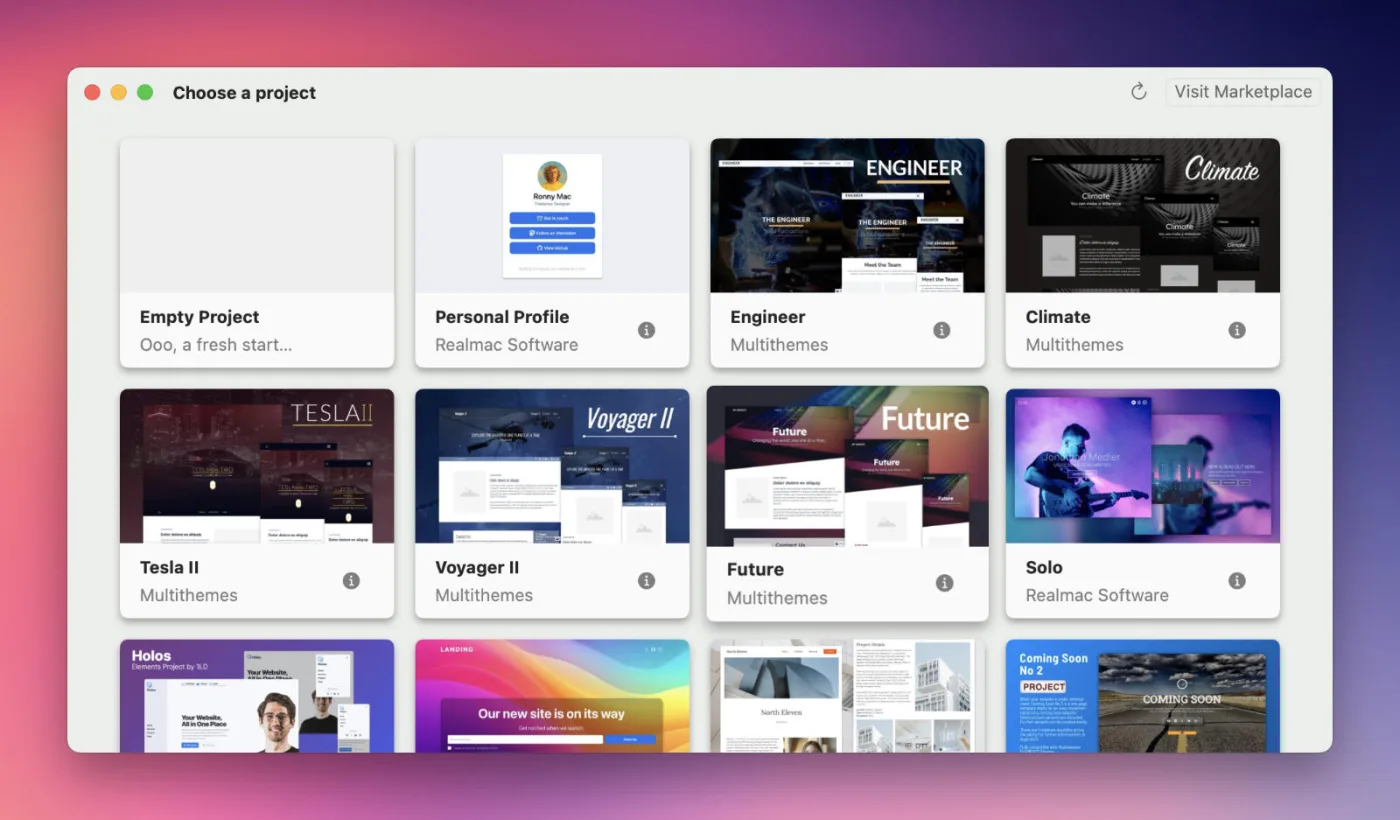
- Open Elements and click New Project.
- Pick a starter project, such as Kinetic for a personal profile or Burger Co for a restaurant, or start blank.
- Click on any text to change it, and drag your own photos into Resources.
- Set your colours and fonts once in the Theme Studio, and every page follows.
- Add pages in the page list on the left.
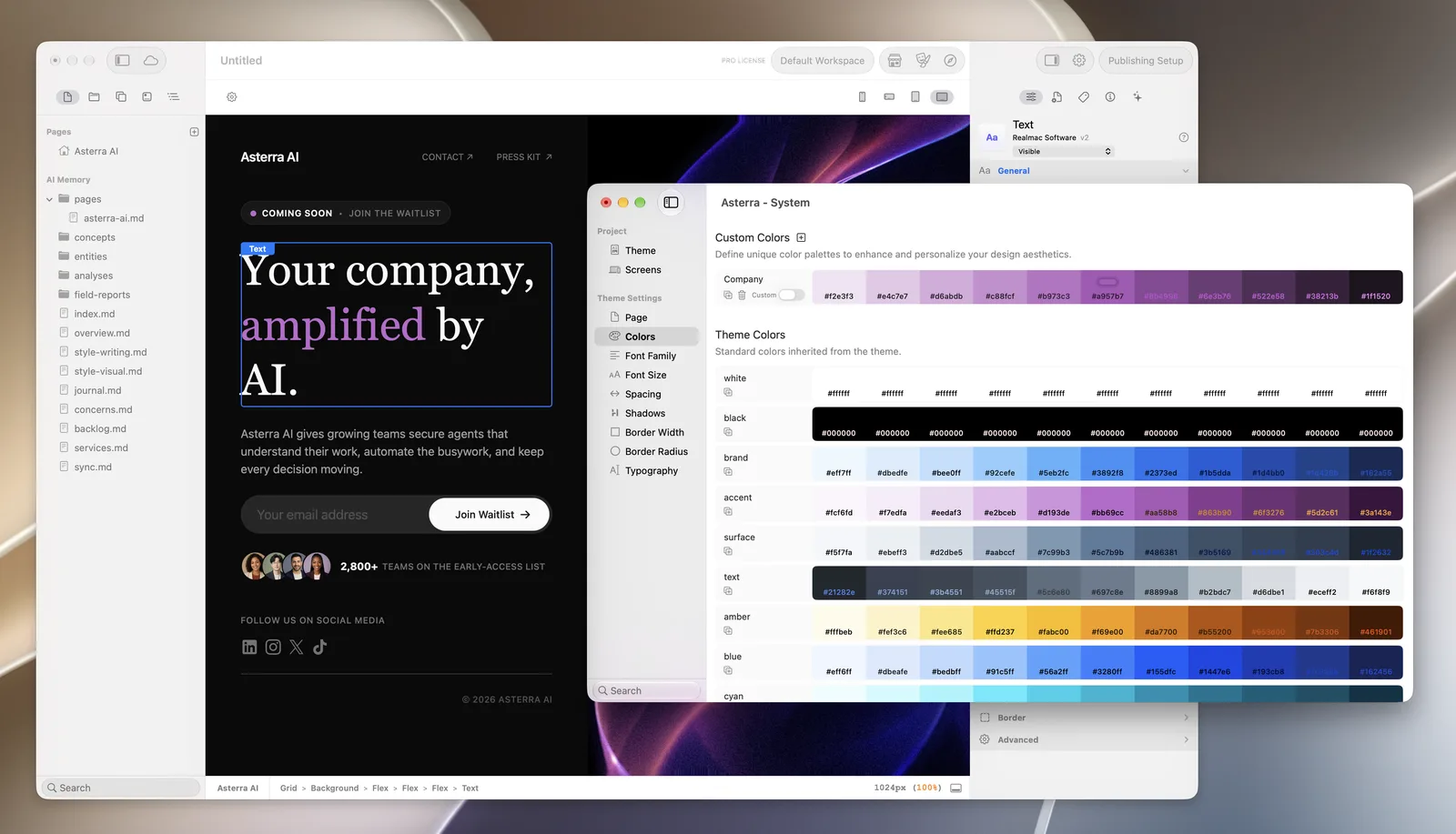
If you’d like help, Elements works with AI tools too. You can ask ChatGPT or Claude to build a page in your project, then change anything by hand. See how to build a website with AI.
Check it on every screen size
Most visitors will see your site on a phone. Elements designs for phones first: you set the mobile layout, then switch to tablet and desktop sizes in the editor and change the layout only where it needs to. Our guide to making a website mobile friendly explains how.
Before you publish, give every page a title and a description in the Metadata panel, and add alt text to your images. The website launch checklist has the full list.
Publish your website
- Open Project Settings and choose Publishing.
- Add a destination. Pick SFTP if your host offers it, and enter the server, username and password your host gave you.
- Click Publish. Elements uploads the site. Next time, it only uploads the files you changed.
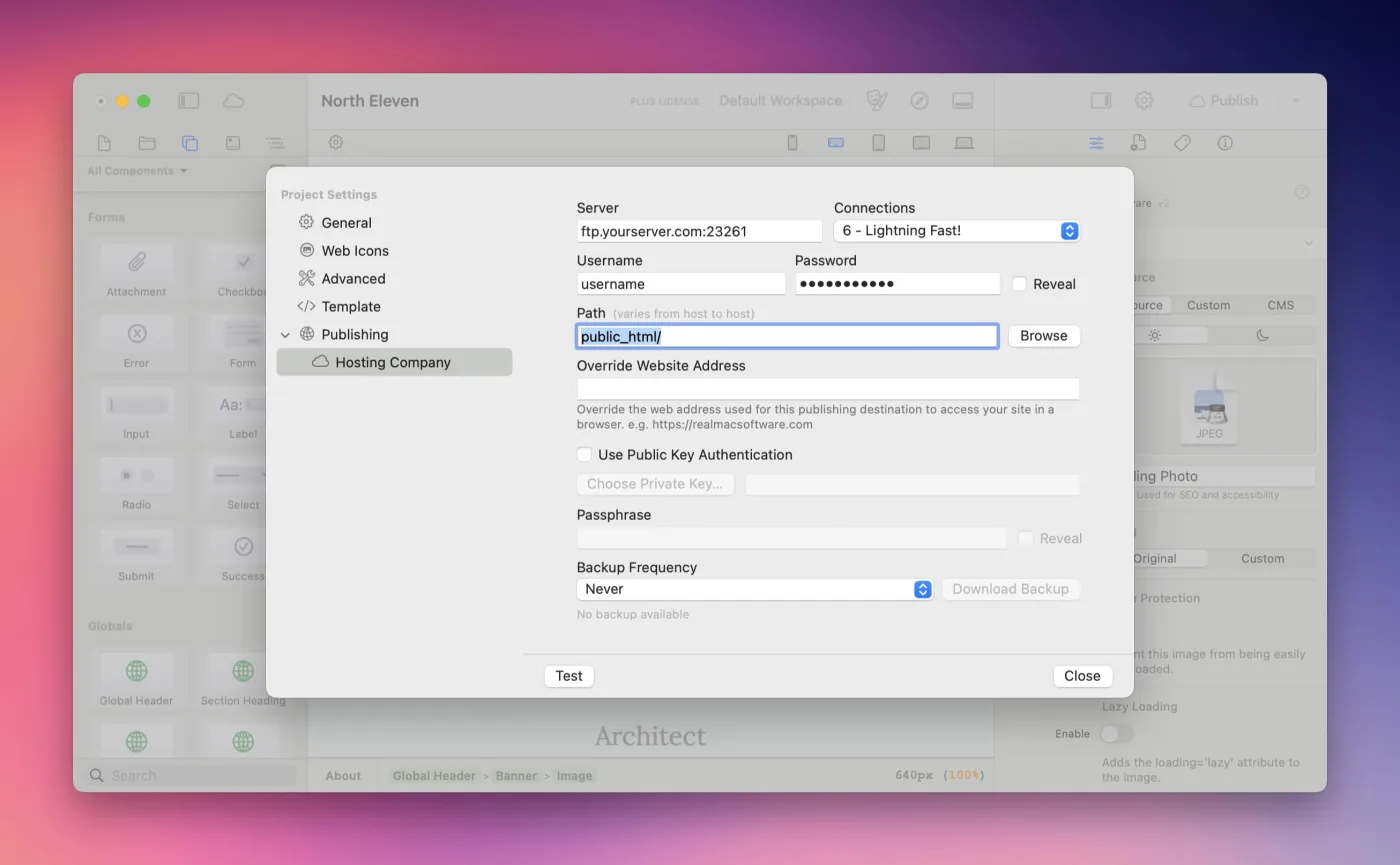
Your hosting details come from your host, not from us, and they’re often different from the login for your host’s control panel. If you’re unsure what to enter, ask your host’s support team.
Finally, point your domain at your hosting. If you bought both from the same company, this is usually done for you.
Questions about making a website on a Mac
Does Apple have a website builder?
Not any more. Apple’s iWeb was discontinued in 2011. Today you use a third-party app such as RapidWeaver Elements, or an online builder such as Squarespace.
Can I make a website on a Mac for free?
You can build and preview a site in the free trial of RapidWeaver Elements, which lets you make up to three pages. To publish, you need a licence, from $99 with a year of updates, plus a domain and hosting.
Do I need to know HTML or CSS?
No. You design visually and Elements writes the code. If you do know some HTML, you can add your own code or build custom components.
Can I build a website offline?
Yes. RapidWeaver Elements works without an internet connection. You only need to be online to publish, back up to Elements Cloud or use online AI tools.
